
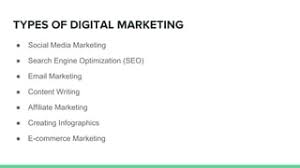
Digital Marketing on SlideShare: A Practical Guide
SlideShare can help businesses turn useful ideas into presentations that reach new audiences. From practical how-to guides to industry research, well-crafted slides can showcase expertise, support brand awareness and give people a reason to explore your website.
But publishing a presentation is only one part of the process. To make SlideShare part of an effective digital marketing strategy, you need to create content for a specific audience, make it easy to discover and connect it to clear business goals.
What is SlideShare?
SlideShare is an online platform for sharing presentations and other visual content. Marketers use it to publish slide decks that explain a topic, summarise research, present a case study or introduce a product or service.
A slide deck can also have a life beyond the platform. It may be shared through email, embedded on a website, promoted on social media or repurposed into other content formats.
Why use SlideShare in digital marketing?
- Present information visually: Slides can make complex ideas easier to follow when the content is organised clearly.
- Demonstrate expertise: Useful, well-researched presentations can help establish your organisation as a knowledgeable voice in its field.
- Reach potential audiences: A public presentation may attract viewers who are researching a topic related to your business.
- Support other marketing channels: A deck can be shared in newsletters, blog posts, sales conversations and social media campaigns.
- Extend the value of existing content: A report, webinar or article can provide the basis for a concise presentation.
How to create a SlideShare presentation that works
Start with one clear purpose
Decide what the presentation should achieve before you begin designing it. You might aim to explain a process, share original findings, answer a common customer question or encourage readers to take a relevant next step. A focused purpose helps keep the deck concise and useful.
Know who you are speaking to
Consider your audience’s knowledge, needs and challenges. A presentation for beginners may need to define key terms, while one for experienced professionals can concentrate on data, analysis or more advanced recommendations.
Build a logical story
Give the presentation a beginning, middle and end. Introduce the issue, develop the main points in a sensible order, then finish with a summary or practical action. Each slide should contribute to the overall message rather than repeat information unnecessarily.
Keep slides clear and readable
Use concise wording, strong headings and a consistent visual style. Avoid filling slides with long paragraphs or too many competing elements. Charts, diagrams and examples can help explain an idea, but only when they are easy to understand and directly relevant.
Check the presentation on different screen sizes where possible. Small text, low-contrast colours and crowded layouts can make a deck difficult to read, particularly on mobile devices.
Include your brand thoughtfully
Use your logo, colours and typography consistently, but do not let branding overwhelm the content. The presentation should be valuable in its own right. Make sure any contact details or website references are accurate and easy to find.
Help people discover your presentation
Give the deck a descriptive title that reflects its subject and matches the language your audience is likely to use. Write a useful description that explains what viewers will learn, and add relevant topic terms where the platform allows them.
Do not rely on SlideShare alone to attract viewers. Share the presentation through your website, email list and relevant social channels. You could also publish a related article that provides additional context and links to the deck.
Search visibility can change over time, so avoid treating a SlideShare upload as a guaranteed way to rank in search results. Focus instead on clear, original content and promotion through channels you control.
Connect the deck to your marketing goals
A presentation can support different stages of the customer journey. An introductory guide may help people understand a problem, while a detailed case study could help prospective customers compare possible solutions.
Choose a suitable call to action. Depending on the subject, you might invite viewers to read a related article, explore a service, download a resource or contact your team. Keep the next step relevant and avoid adding a hard sales pitch to content designed primarily to educate.
Measure performance and improve
Look at the metrics available to you and assess them against the presentation’s purpose. Views can indicate reach, while engagement, clicks or enquiries may provide a better indication of whether the content is supporting your wider objectives. Tracking options and available data can vary, so use your website analytics and campaign links where appropriate.
Use what you learn to improve future presentations. If viewers are not reaching the key points, consider shortening the deck or making the opening more compelling. If a topic attracts interest, develop it further in another format.
Common mistakes to avoid
- Publishing a deck without a clear audience or objective.
- Using dense text that is difficult to read on screen.
- Adding promotional messages without providing useful information.
- Uploading content and expecting it to generate traffic without promotion.
- Using images, charts or quotations without checking permissions and attribution requirements.
- Failing to check links, spelling, accessibility and branding before publishing.
Make SlideShare part of a wider strategy
SlideShare is most useful when it supports a broader digital marketing plan. A presentation can complement your website content, email marketing, social media and sales materials, but it should not replace them. Consider how each deck fits into your content calendar, who will promote it and what you want viewers to do afterwards.
With a clear purpose, helpful content and thoughtful promotion, SlideShare can be a practical way to communicate ideas and extend the reach of your digital marketing. Focus on giving your audience something worth their time, then measure the results and refine your approach.
Mastering SlideShare: 8 Essential Tips for Effective Digital Marketing Presentations
- Define one clear goal for your SlideShare presentation.
- Keep each slide focused on a single idea.
- Use concise copy and readable fonts.
- Add strong visuals to support your message.
- Include relevant keywords in the title and description.
- End with a clear call to action.
- Share your deck across social channels and email.
- Track views, shares and leads to improve future decks.
Define one clear goal for your SlideShare presentation.
Before creating a SlideShare presentation, decide on one clear goal. You might want to explain a useful concept, showcase research, generate leads or encourage readers to explore a service. A focused objective helps you choose the right content, structure your slides and include a relevant call to action. Trying to achieve too many things at once can make the presentation unfocused and leave your audience unsure what to do next.
Keep each slide focused on a single idea.
Keep each slide focused on a single idea so your audience can follow the presentation without feeling overwhelmed. Use a clear heading, a few concise points and a relevant visual to support the message. If a slide starts to feel crowded, split the information across two or more slides; a steady, easy-to-follow flow is more effective than cramming everything onto one page.
Use concise copy and readable fonts.
Keep your SlideShare presentation easy to follow by using concise copy and readable fonts. Focus each slide on one main idea, using short sentences and clear headings instead of lengthy paragraphs. Choose simple fonts, a generous text size and strong colour contrast so your slides remain legible on smaller screens.
Add strong visuals to support your message.
Use strong visuals to make your SlideShare presentation more engaging and easier to understand. Relevant photographs, illustrations, charts and diagrams can reinforce your key points, explain complex ideas and guide readers through the story. Choose clear, high-quality images that suit your brand, and keep layouts uncluttered so the visuals support your message rather than distract from it.
Include relevant keywords in the title and description.
Include relevant keywords in your SlideShare title and description to help people understand what your presentation covers and make it easier to discover. Choose specific terms your target audience is likely to search for, such as “digital marketing strategy” or “social media marketing tips”, and use them naturally. Keep the title clear and accurate, and write a concise description that explains what viewers will learn rather than simply repeating a list of keywords.
End with a clear call to action.
End your SlideShare presentation with a clear call to action that tells viewers what to do next. You might invite them to visit your website, read a related article, download a guide or contact your team. Keep the action relevant to the presentation and make it easy to follow, with a concise message and a working link where appropriate.
Share your deck across social channels and email.
Share your SlideShare deck across your social channels and include it in relevant email campaigns to help it reach more of your audience. Write a short introduction that explains what readers will learn, tailor the message to each channel and add a clear link to the presentation. Consider sharing it more than once over time, using different highlights or insights to give people a fresh reason to take a look.
Track views, shares and leads to improve future decks.
Track the performance of each SlideShare deck by monitoring views, shares and the leads it generates. These metrics can show which topics attract attention, which presentations people are most likely to pass on and whether your calls to action encourage meaningful engagement. Use those insights to refine future decks, from choosing more relevant subjects to improving the structure, design and next steps you offer.
Leave a Reply